ROAR- Smarter Conversations, Seamless Collaboration
ROAR was designed to solve a simple but important problem: agents and brokers needed a faster way to communicate while working through document verification.
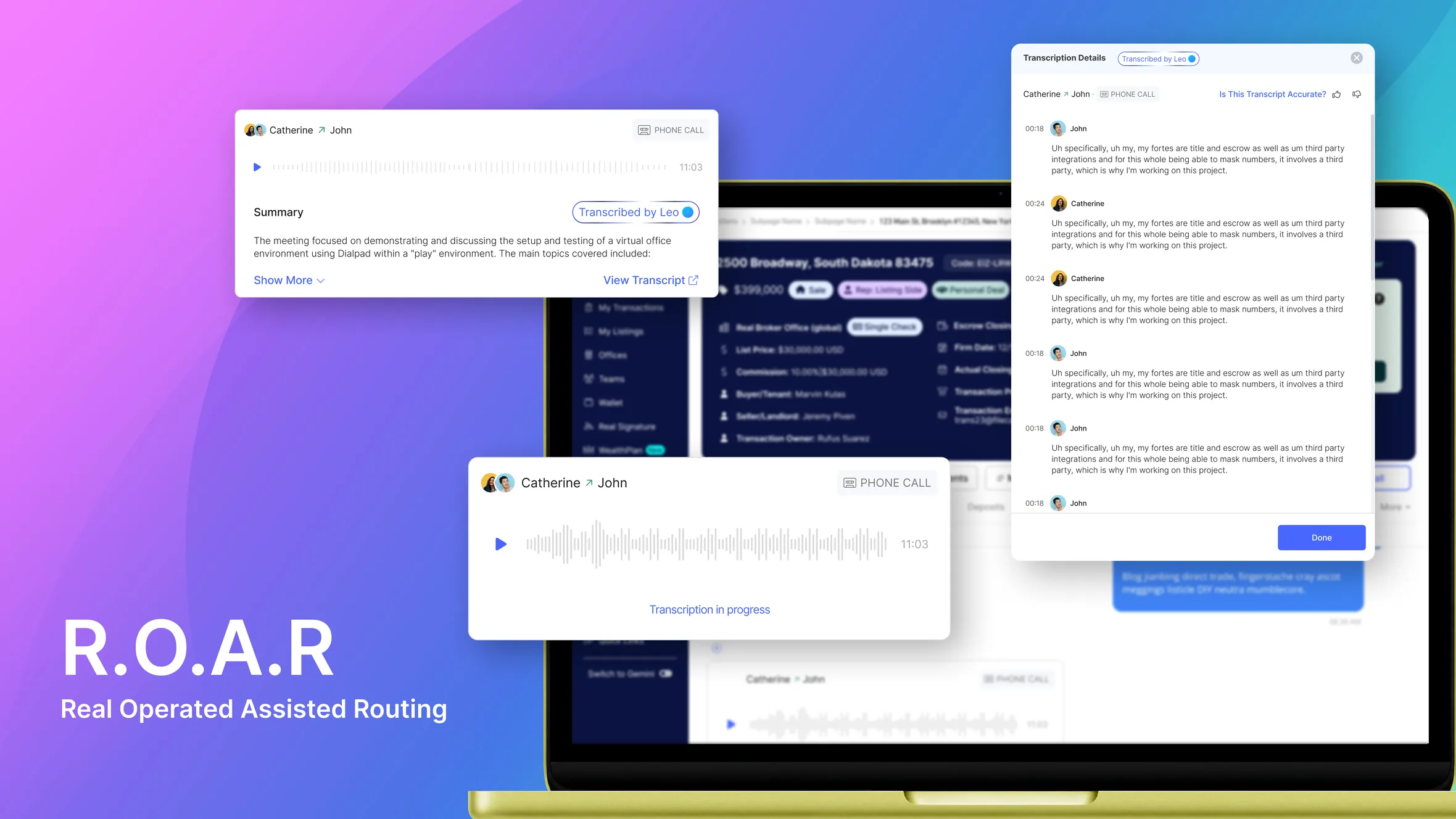
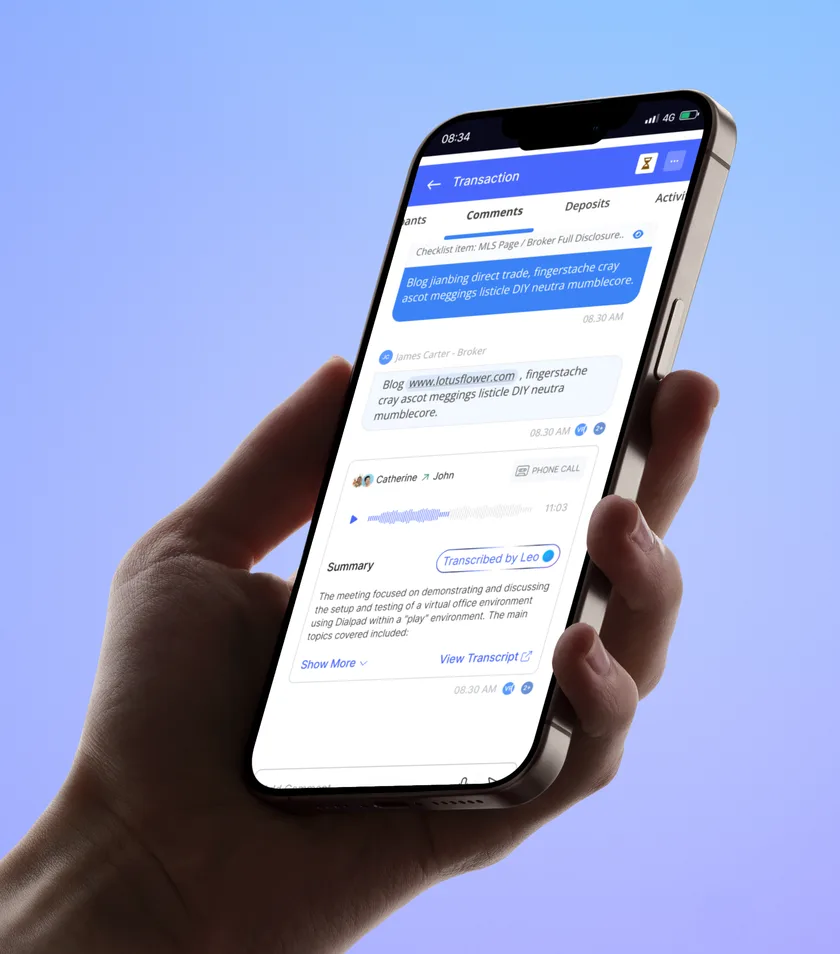
My role was to design a secure calling experience directly inside the agent dashboard, allowing agents and brokers to connect without exposing their personal numbers while automatically generating call recordings and AI-powered transcripts through ROARcording.
- Agents using ROAR 10,000+
- Communication Real-time
- ROARCOrding AI-powered
- Secure calling Number masked
Why this project started?
Agents and brokers were already working inside the same platform, but communication between them still depended heavily on messaging and email. When a broker had a question about an uploaded document, they had to type out the question and wait for the agent to respond.
For simple questions, this created unnecessary back-and-forth and slowed down the verification process. It also meant that important conversations could become fragmented across different communication channels.
The opportunity was to bring calling directly into the workflow. Instead of making users leave the dashboard or exchange personal phone numbers, we wanted to create a secure communication layer where they could simply call each other, resolve the issue, and continue their work.
Research and Discovery
Stakeholder Alignment
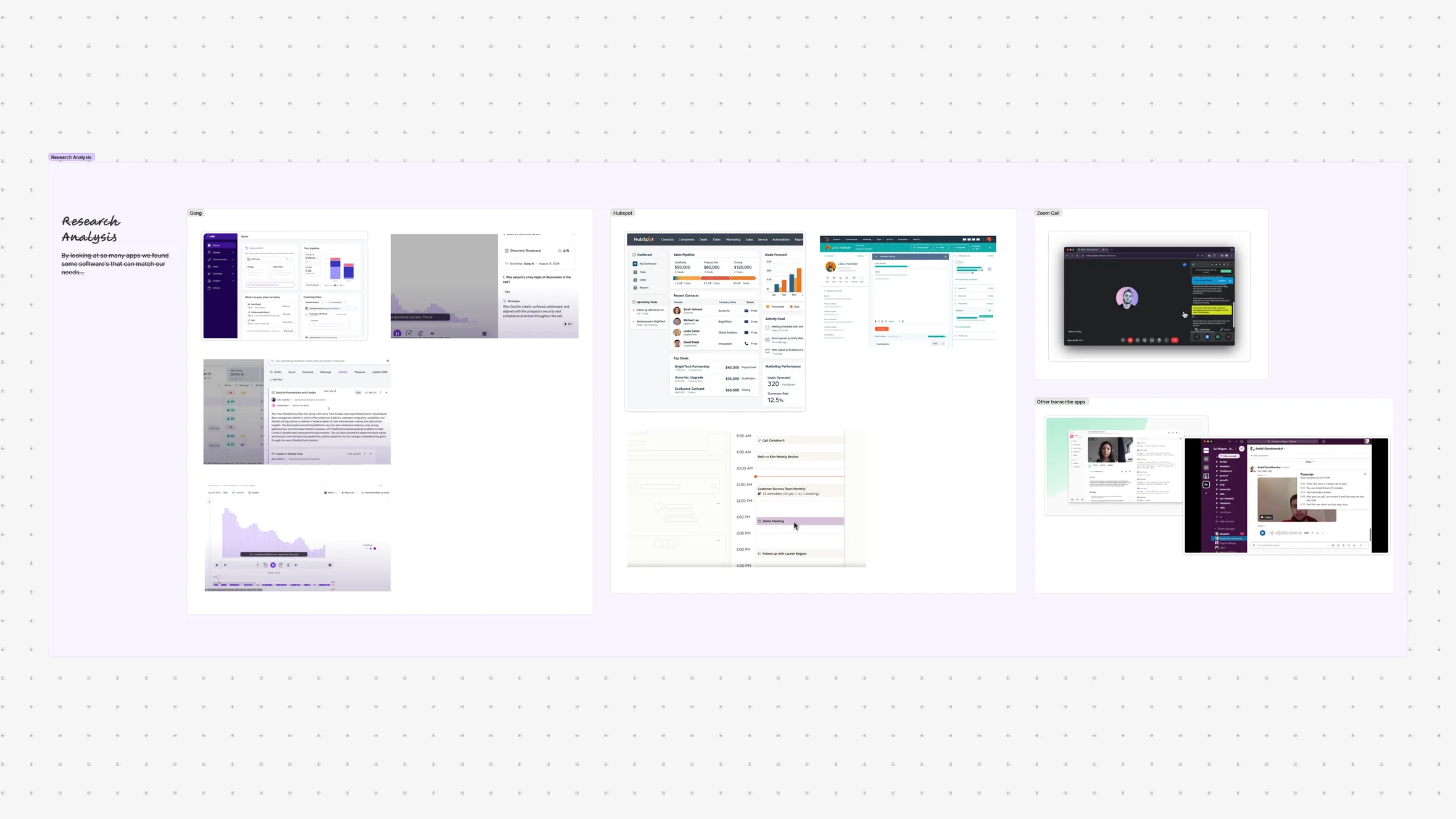
The project started by understanding how agents and brokers currently communicate during document verification.
We mapped the existing workflow and identified the moments where users needed immediate clarification instead of another text-based conversation.
Key questions included:
- When does a user decide they need to call?
- What makes messaging slow or frustrating?
- What information needs to be available during a call?
- How can we keep communication secure?
- How should conversations be documented afterward?
Deliverables: Communication flow, stakeholder insights, opportunity areas.
Persona Development
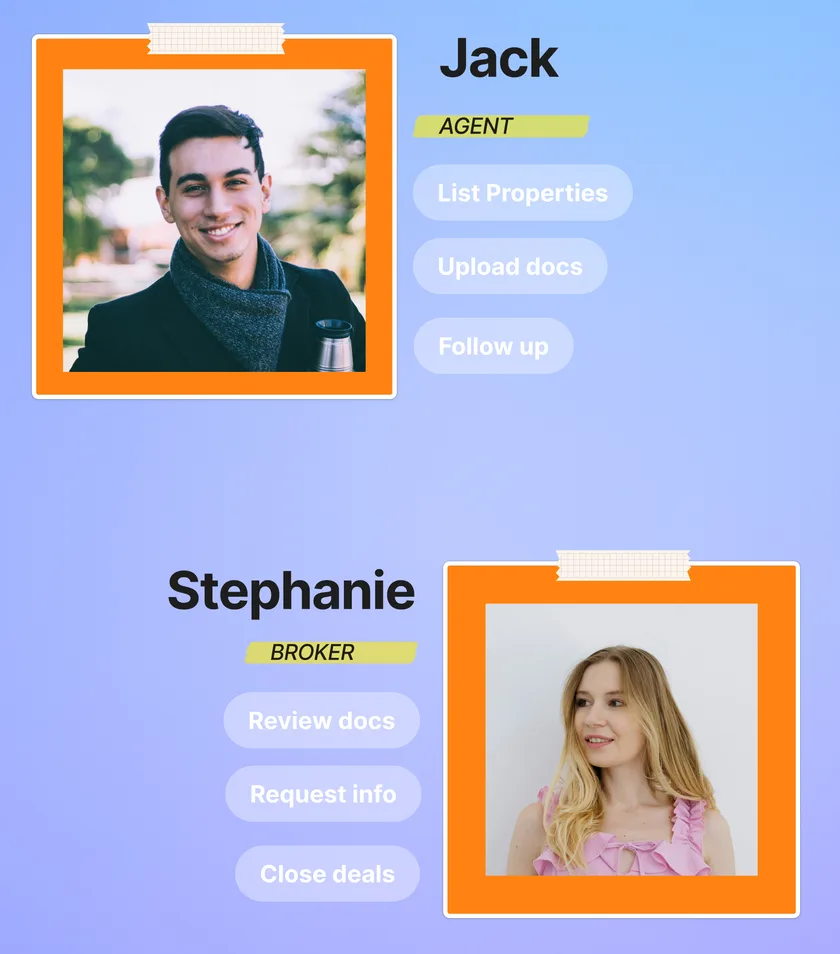
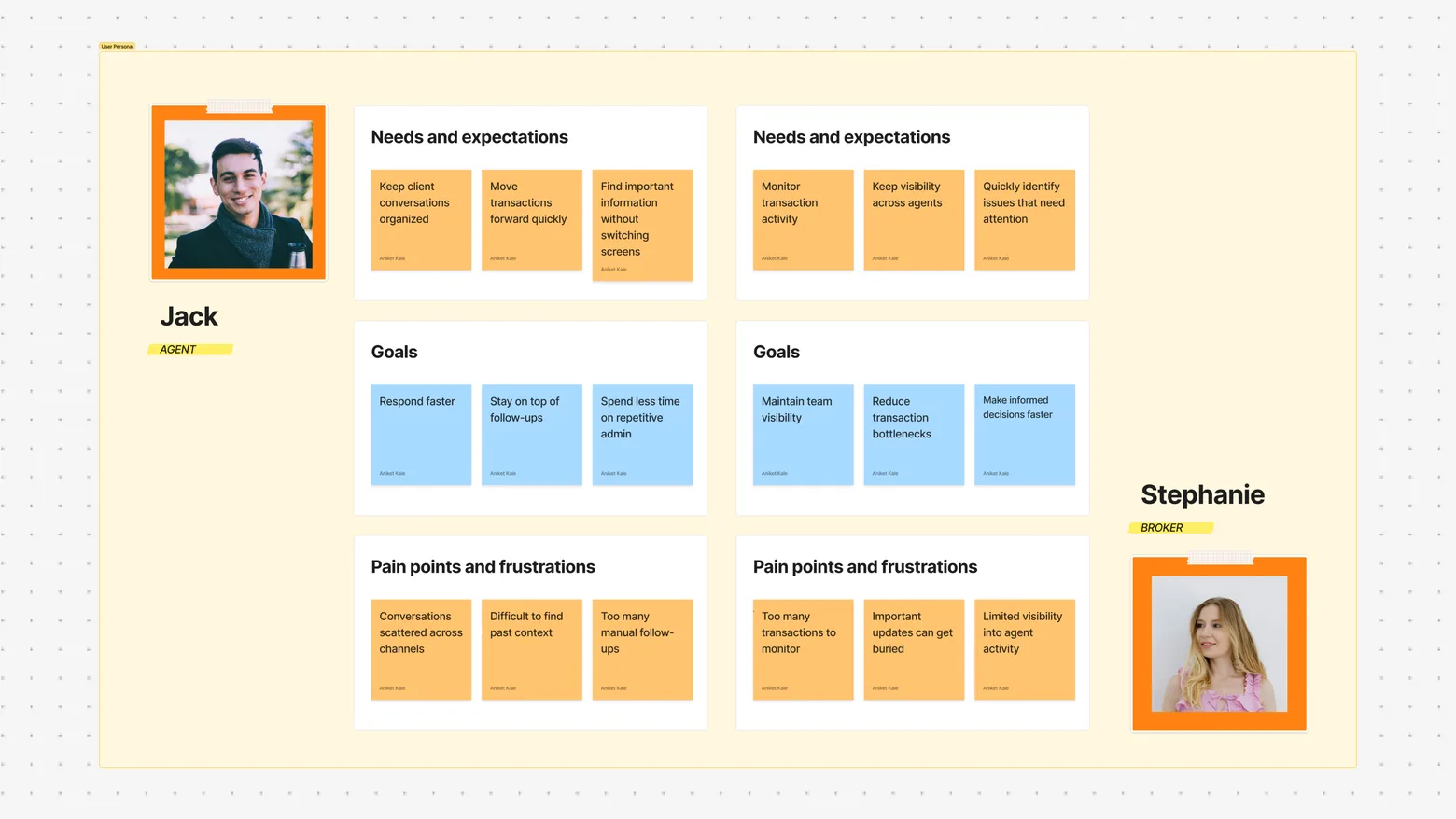
We studied the two primary users involved in the communication workflow: agents who submit and manage documents, and brokers who review those documents and request clarification.
The research helped us understand their responsibilities, communication habits, and the situations where text-based communication created unnecessary friction.
The core users of the system were:
Agents — who upload documents and respond to broker queries.
Brokers — who review documents and need clarification or additional information.
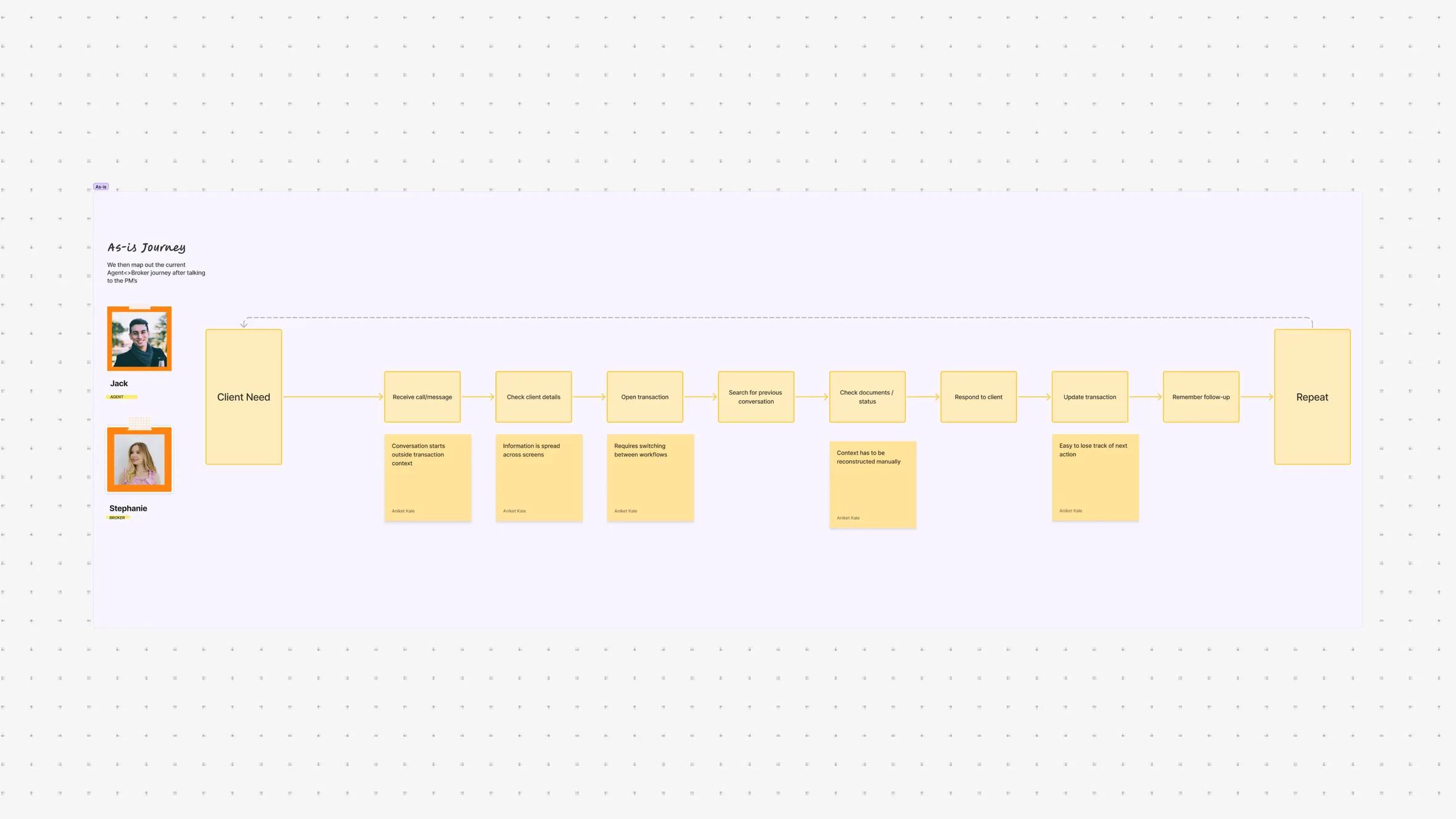
As-Is Journey
We mapped the existing communication journey from the moment a document was uploaded to the point where the broker received clarification from the agent.
The workflow depended heavily on messages and emails. A simple question could require multiple messages, waiting for responses, and repeated explanations.
We identified bottlenecks around typing, waiting, context switching, and fragmented communication.
Insights and Pain Points
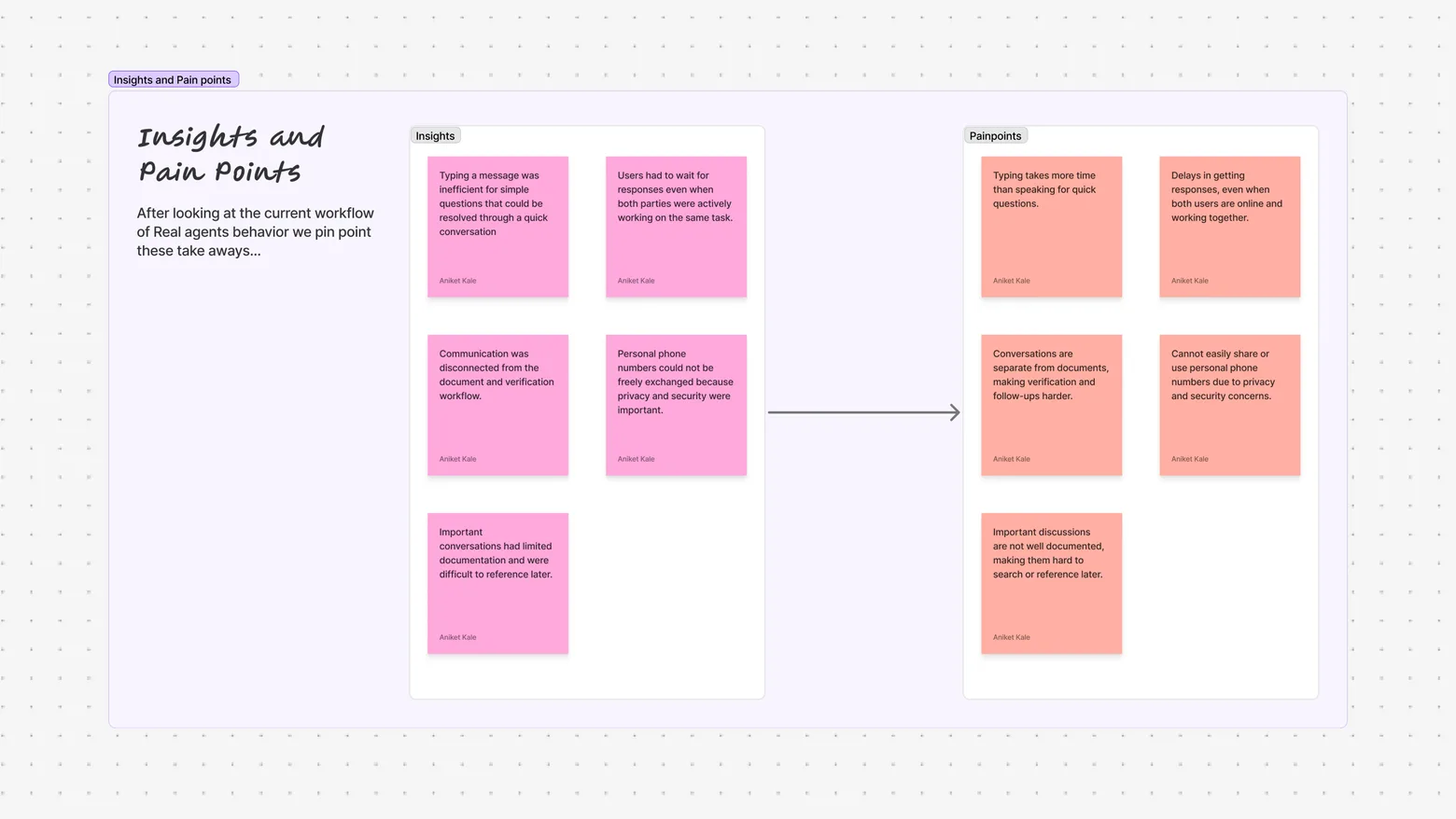
After synthesizing the research, we found a few core pain points driving most of the communication friction:
Typing a message was inefficient for simple questions that could be resolved through a quick conversation.
Users had to wait for responses even when both parties were actively working on the same task.
Communication was disconnected from the document and verification workflow.
Personal phone numbers could not be freely exchanged because privacy and security were important.
Important conversations had limited documentation and were difficult to reference later.
Use Case Analysis
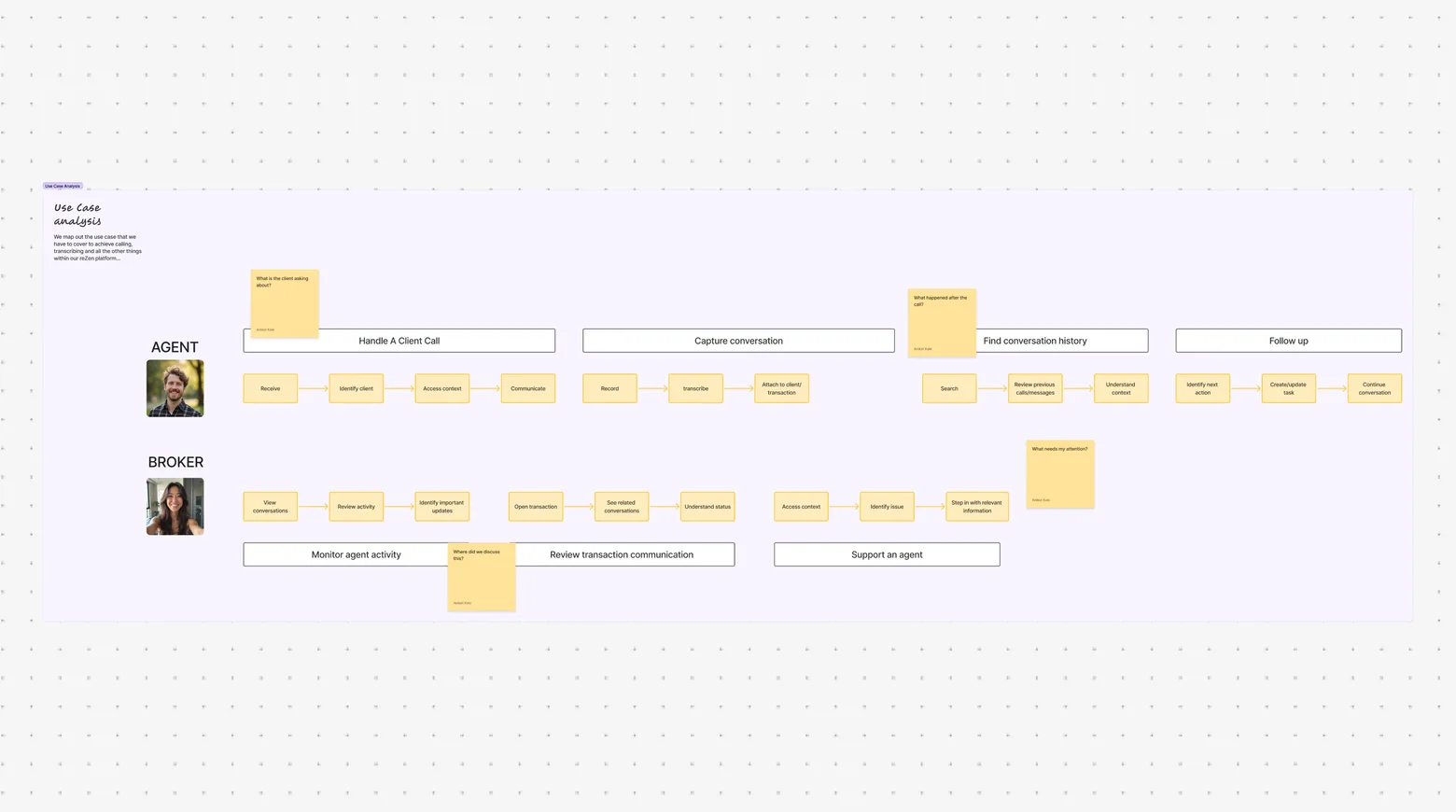
We listed the major situations where agents and brokers needed to communicate and prioritized them based on frequency and importance.
Document Clarification
Verification Questions
Issue Resolution
Follow-up Discussions
The primary opportunity was clear: when a question required more context than a message could provide, users needed a way to start a call without leaving their existing workflow.
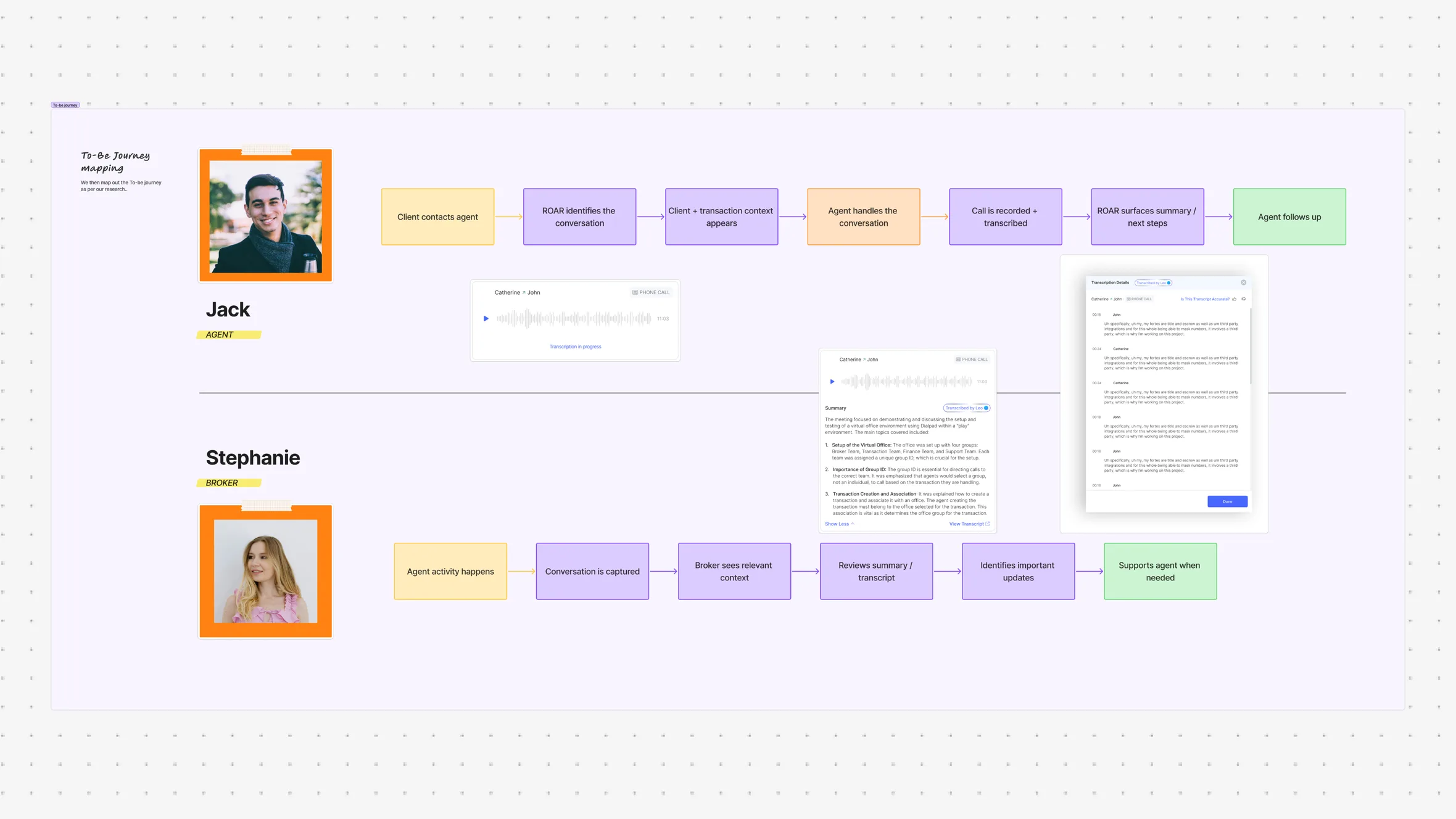
To-Be Journey Mapping
Using the research insights and prioritized use cases, we designed the ideal communication workflow around the user’s existing task.
Instead of moving from the dashboard to messages and waiting for a response, users could initiate a secure call directly from the relevant workflow.
The new experience focused on reducing communication steps, keeping users in context, protecting personal numbers, and automatically documenting conversations.
We validated the proposed flow against the core agent and broker scenarios to ensure that calling felt like a natural extension of the existing product.
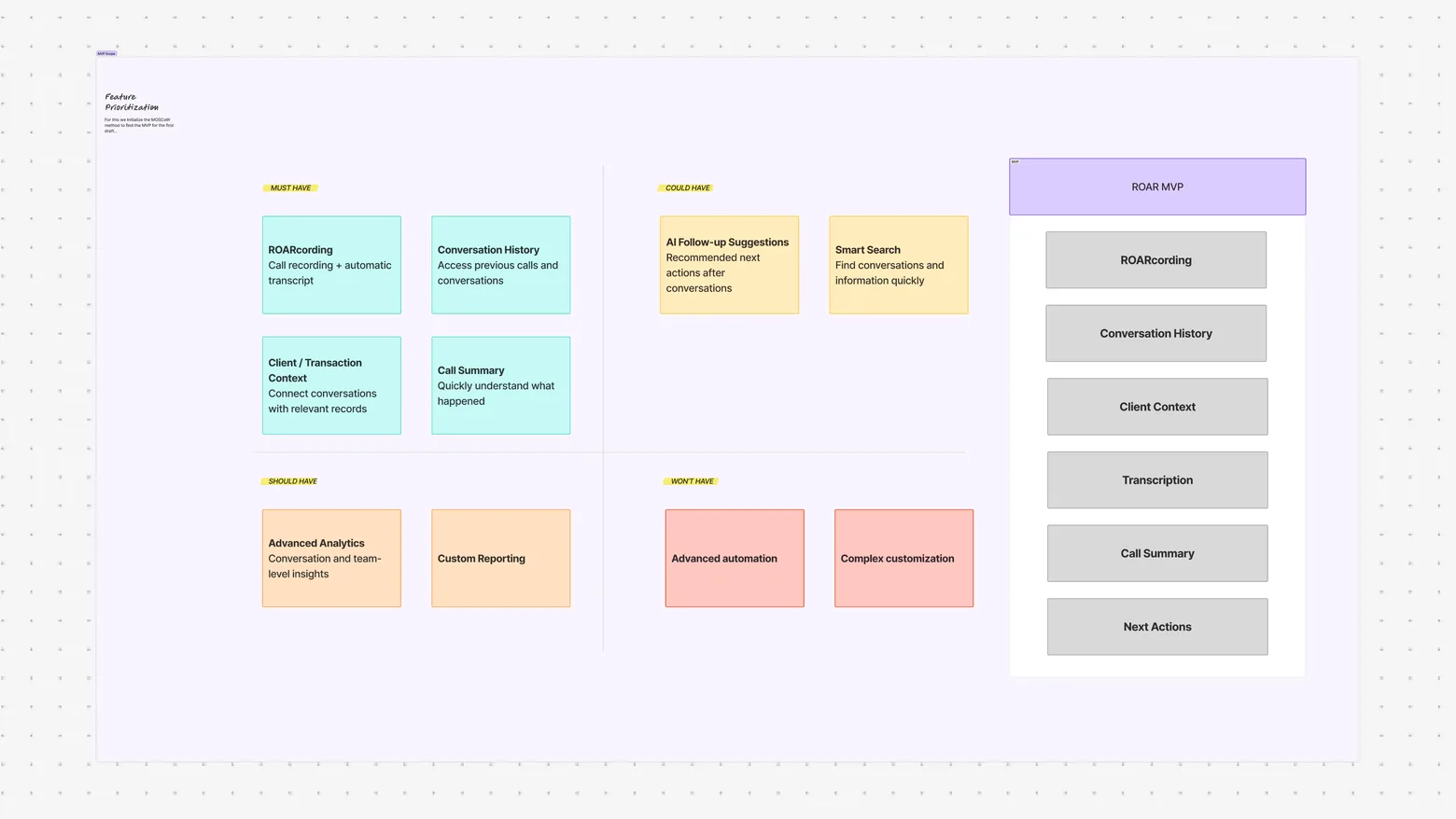
Feature Prioritization and MVP Scope
We evaluated the proposed ROAR features based on user value, workflow impact, and implementation effort to determine what should be included in the initial experience.
Activity
Initiate Call
Receive Call
View Call History
Epics
Secure Number Masking
ROARcording
AI Transcription
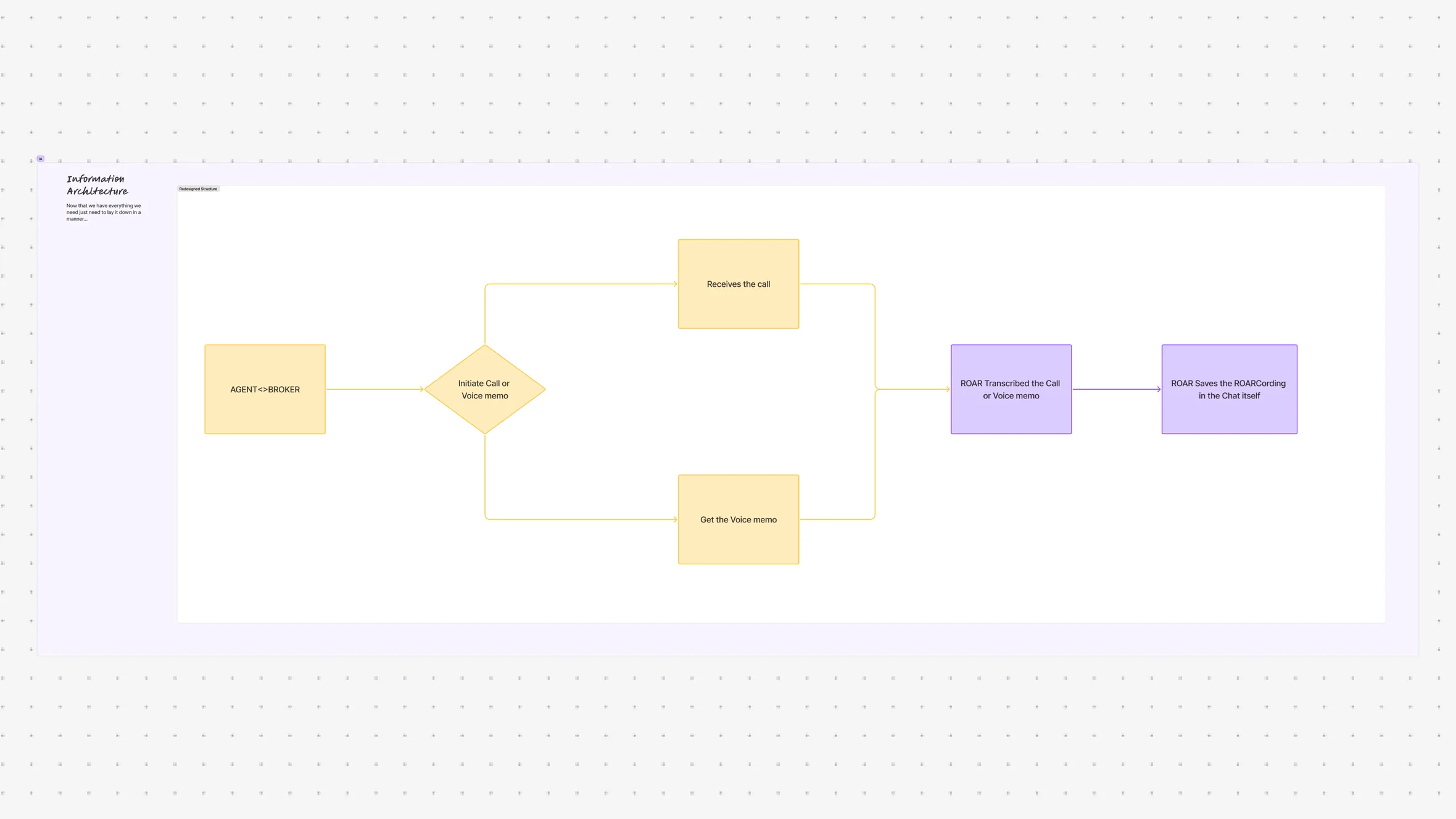
Information Architecture
After validating the use cases, I structured the communication experience around the existing agent dashboard rather than creating a completely separate calling product.
The core experience was organized around Dashboard, Documents, Communication, ROAR Calls, and ROARcording, allowing users to move naturally between their work and conversations.
Reflection and Learnings
Designing Communication Around Context
This project taught me that communication doesn’t always need to exist as a separate feature. When users are trying to complete a task, the best communication experience is often the one available exactly when they need it.
From Messages to Conversations
ROAR showed how a simple shift from typing to calling could remove unnecessary friction from the workflow. The goal wasn’t just to make communication faster, but to make collaboration feel more immediate.
Privacy as Part of UX
Number masking wasn’t only a technical requirement. It became an important part of the user experience by allowing agents and brokers to communicate directly without exposing personal contact information.
Making Conversations Actionable
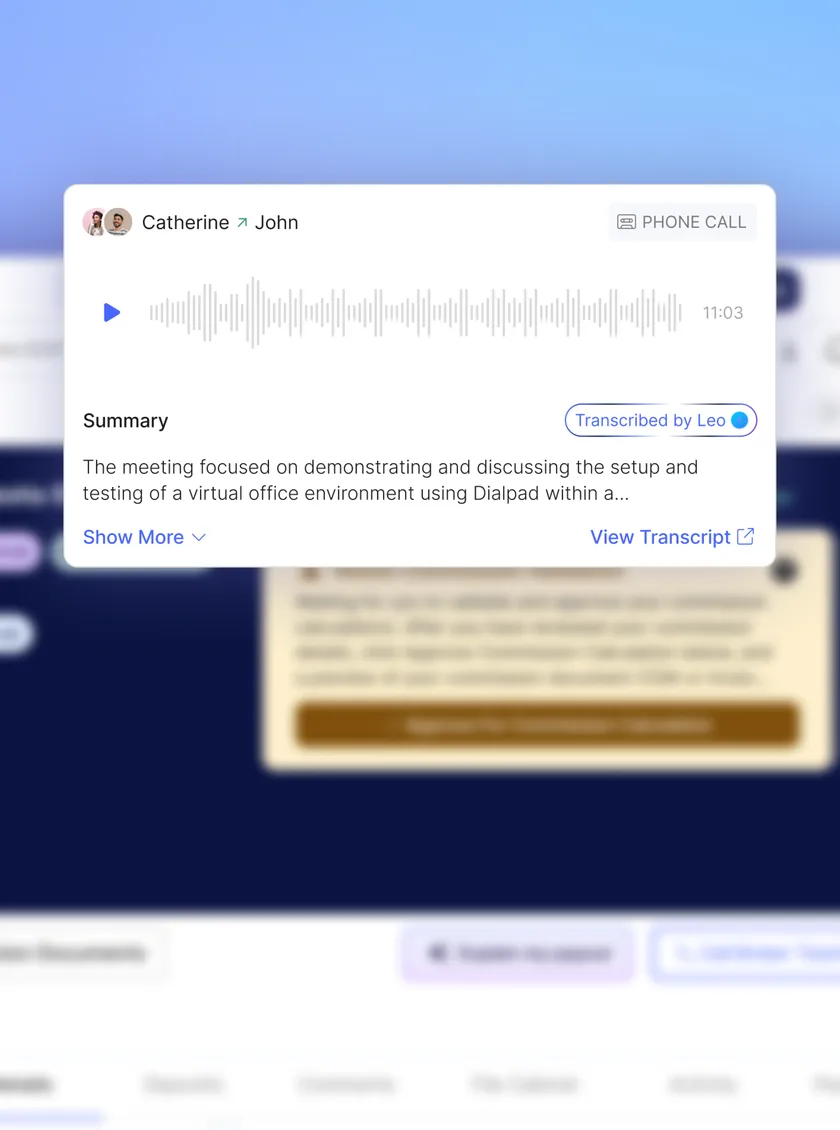
With ROARcording, the conversation doesn’t disappear when the call ends. Recordings and AI-generated transcripts create a useful record that users can reference later, making communication part of the overall workflow rather than a disconnected interaction.