LEO - Your AI Brokerage Assistant
Making everyday brokerage work faster, simpler, and more intelligent by bringing transactions, updates, guidance, and AI-powered assistance into one seamless experience.
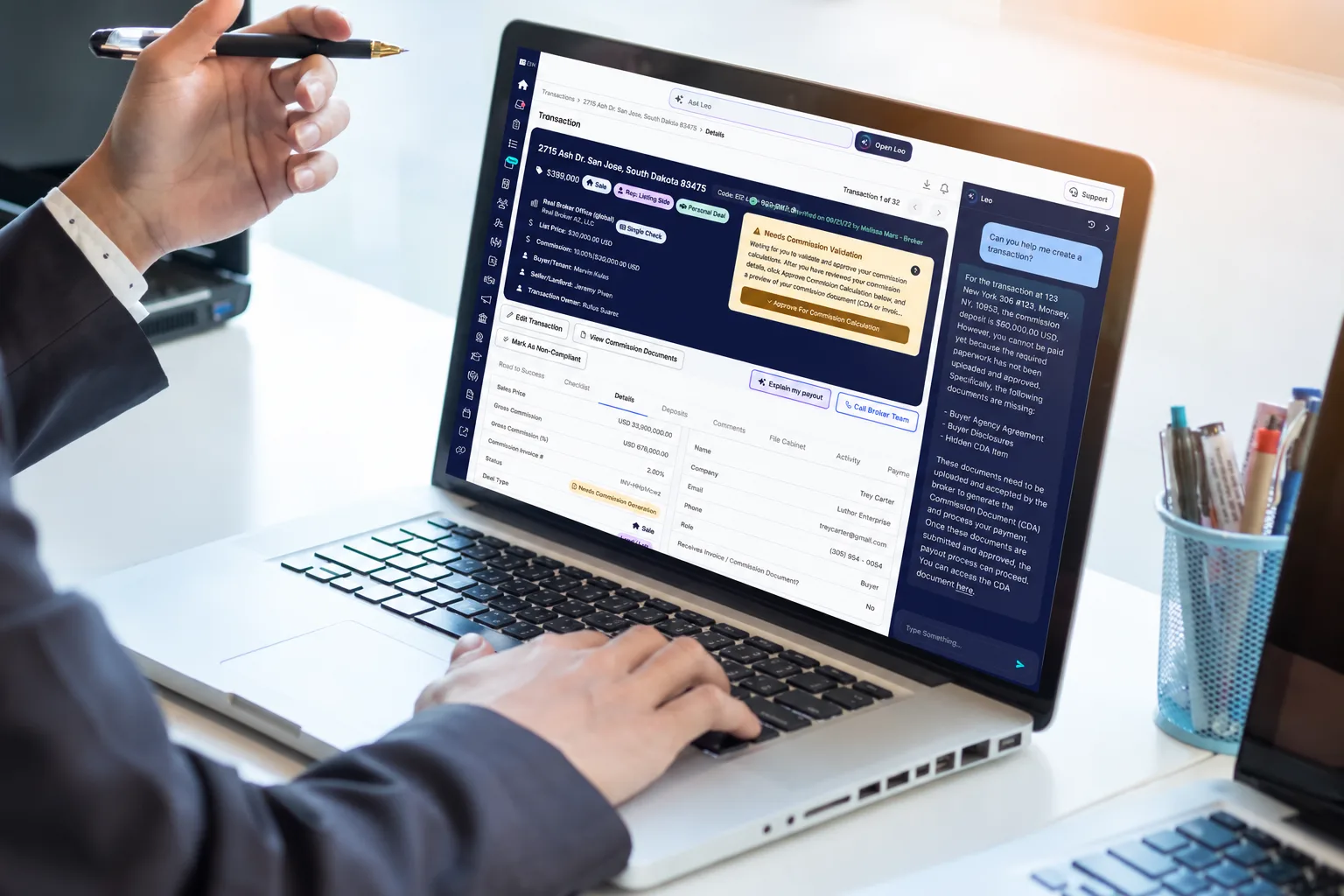
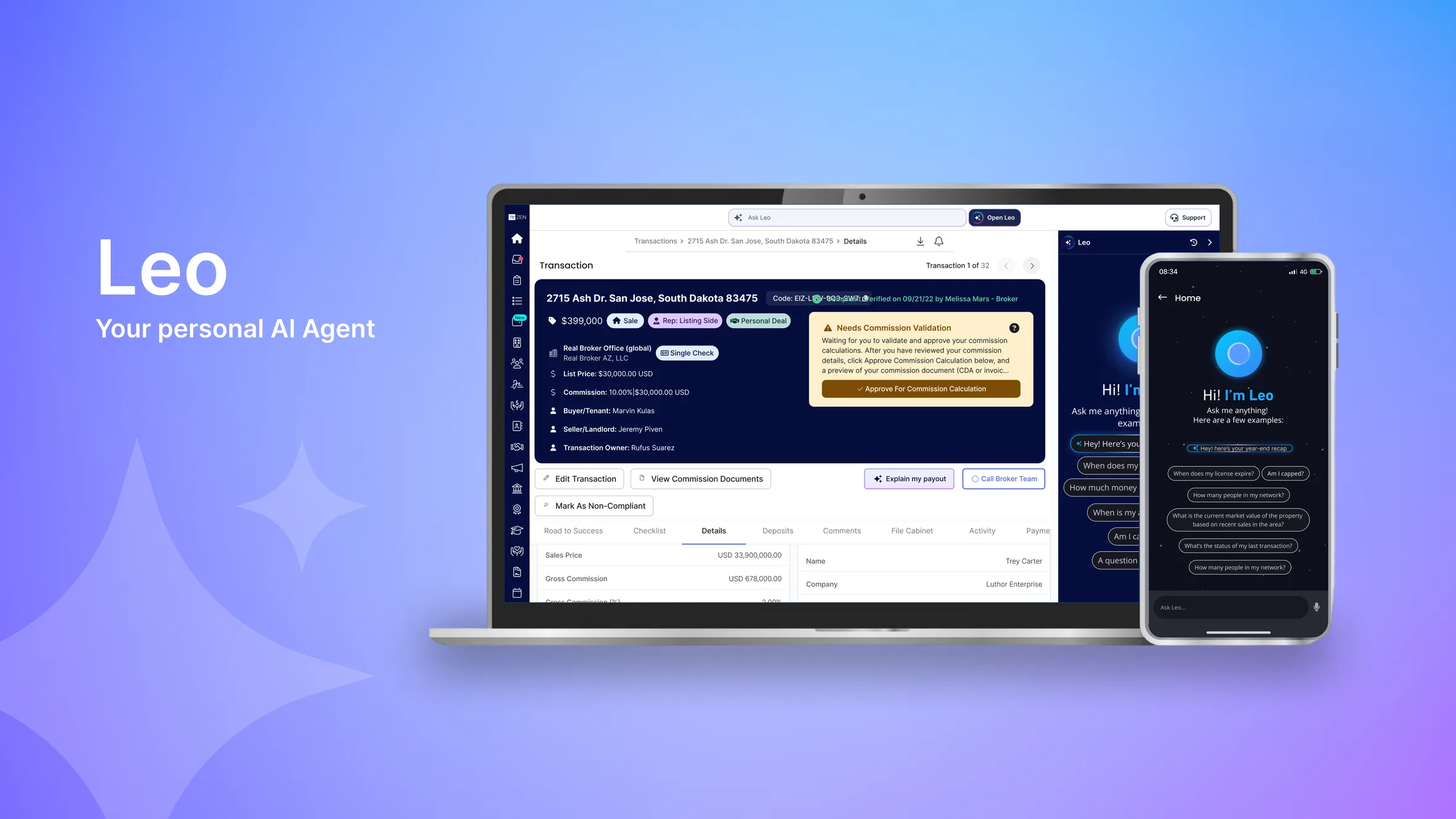
My role was to design an AI-powered assistant directly inside The Real’s agent and broker dashboards, helping users manage transactions, understand important updates, get instant answers, and complete supported tasks without leaving their workflow. LEO brings transaction activity, documents, communication, performance insights, and actionable guidance together through one conversational experience.
Project Overview
Agents and brokers manage a constant stream of transactions, documents, client conversations, notifications, and performance goals every day. Although the information needed to manage this work already existed within The Real, users often had to move between different areas of the dashboard to find information, understand what was happening, and decide what to do next.
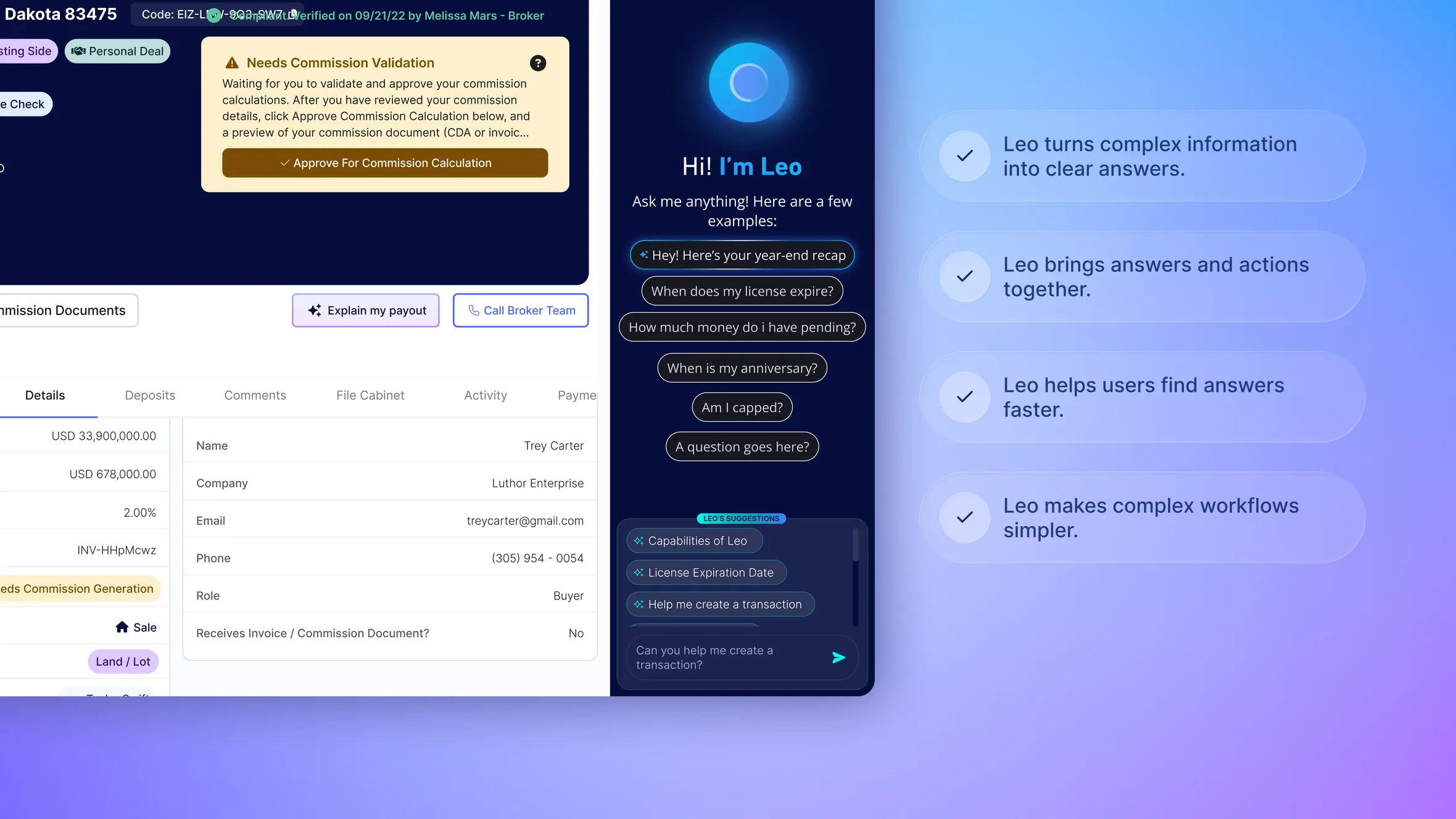
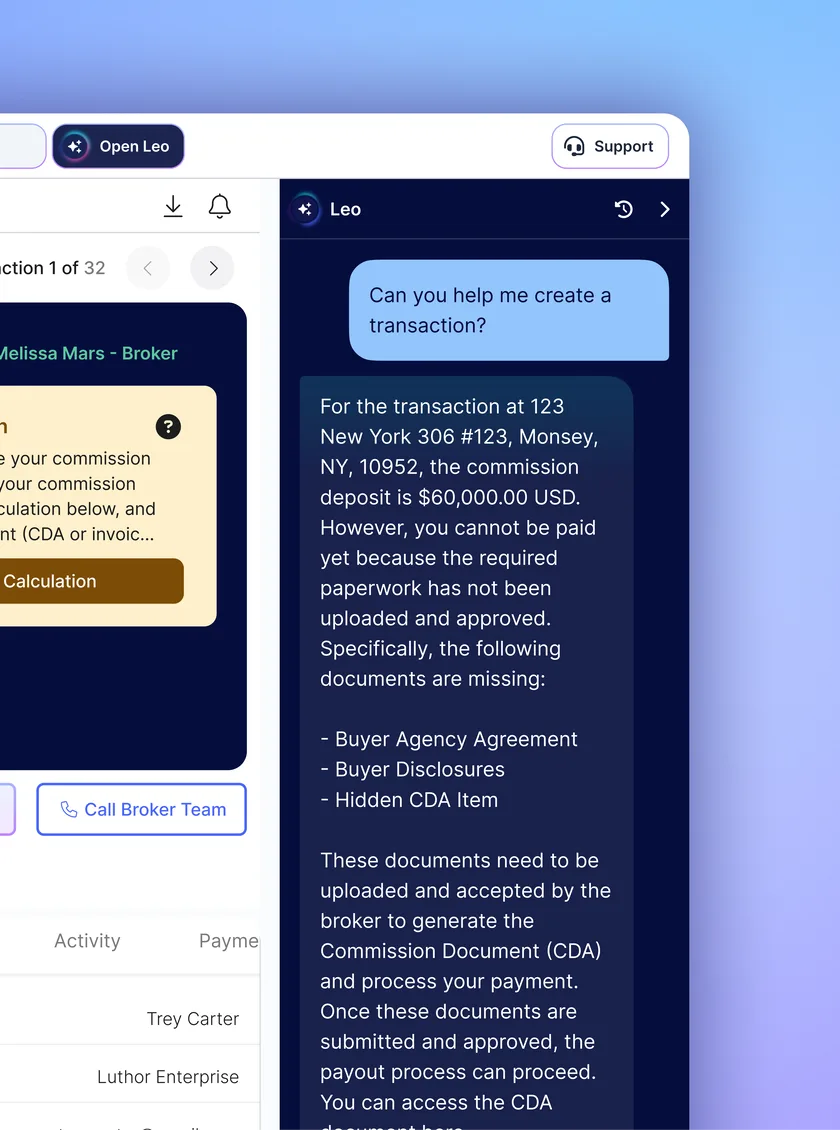
LEO was designed as an AI-powered brokerage assistant built directly into both the agent and broker dashboards. It brings transaction information, notifications, guidance, and supported actions into one conversational experience.
Instead of making users search through the platform, LEO allows them to simply ask questions, get contextual answers, receive recommendations, and complete supported tasks without leaving their workflow.
The goal was to create an assistant that could help both agents and brokers understand what is happening, decide what to do, and take action faster.
Defining the Problem
Agents and brokers already had access to a large amount of information, but accessing that information efficiently was the bigger challenge.
An agent could receive a buyer message, a document could be uploaded or revoked, or a transaction could change status. A broker could need to review a transaction, verify documents, follow up with an agent, or understand what needs attention next.
Each situation could require navigating to a different part of the dashboard.
This created unnecessary cognitive load around everyday brokerage work.
Users weren’t always asking:
“Where can I find this information?”
Often, the more important question was:
“What does this mean, and what should I do next?”
The opportunity was to move from a dashboard where agents and brokers had to actively search for answers to an experience where the product could understand their context and bring the right information and actions to them.
Design Opportunity
The opportunity was to create an intelligent layer across the existing brokerage experience rather than another standalone application.
LEO needed to connect the information agents and brokers already use every day and make it accessible through natural conversation.
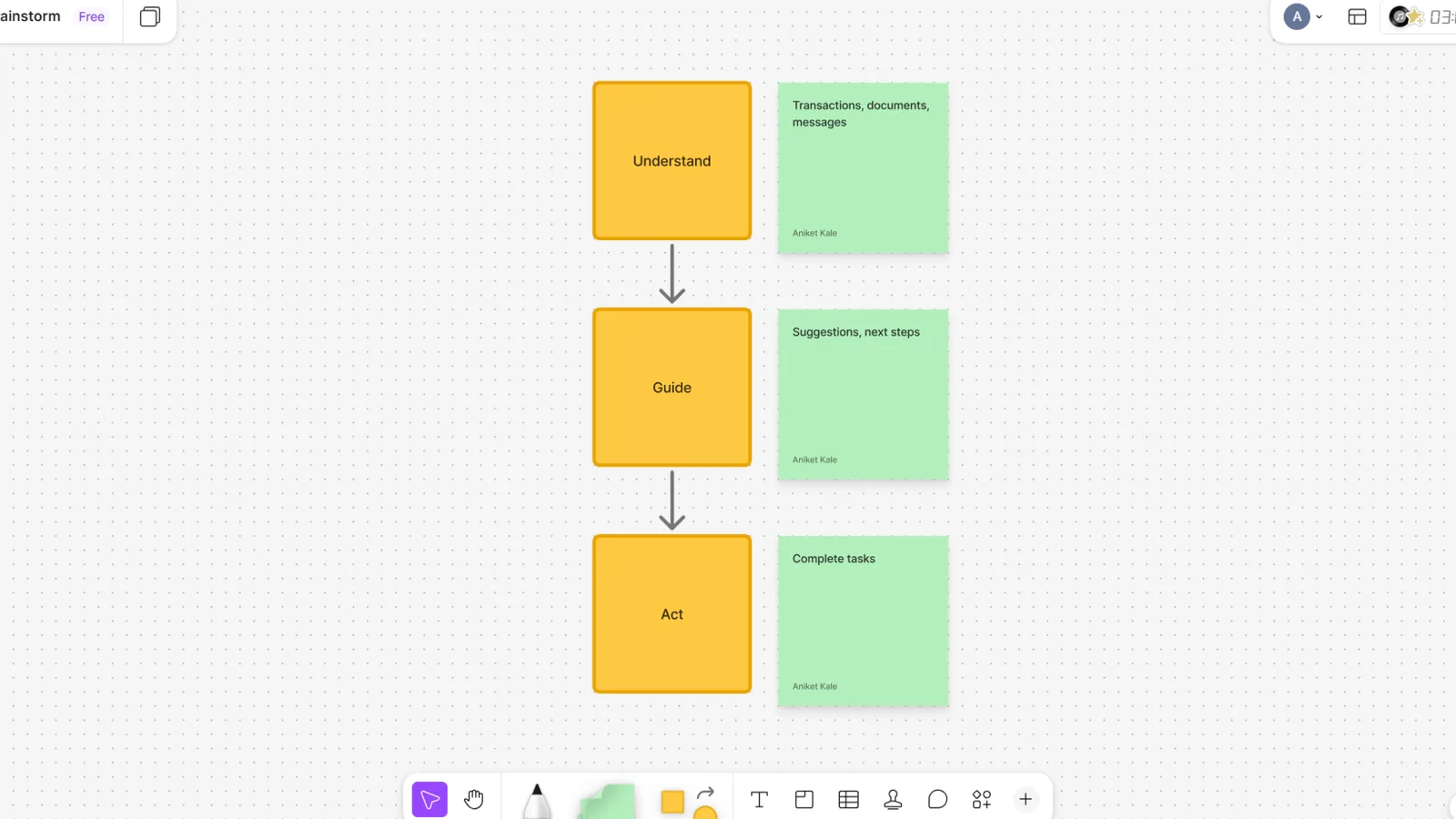
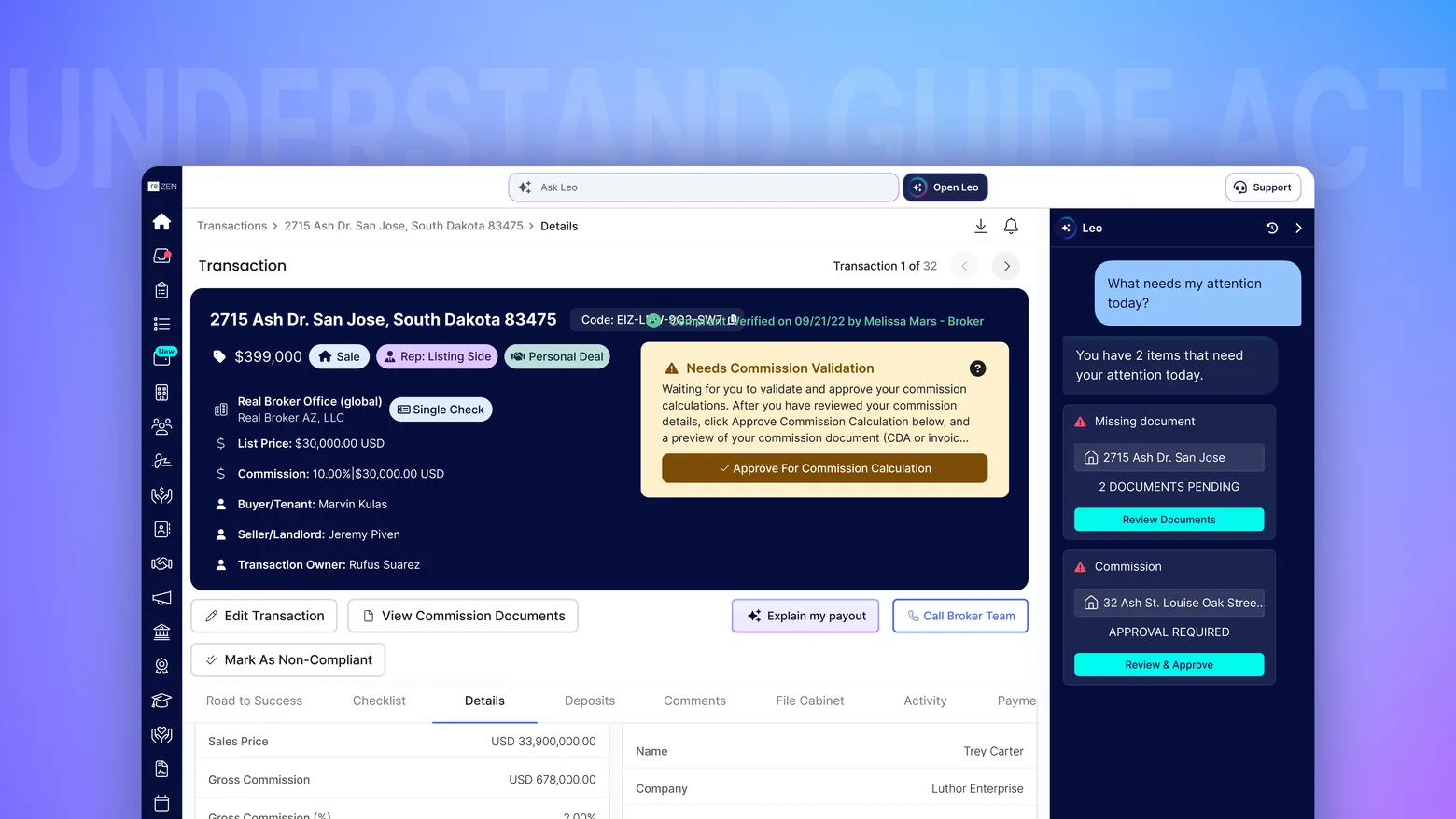
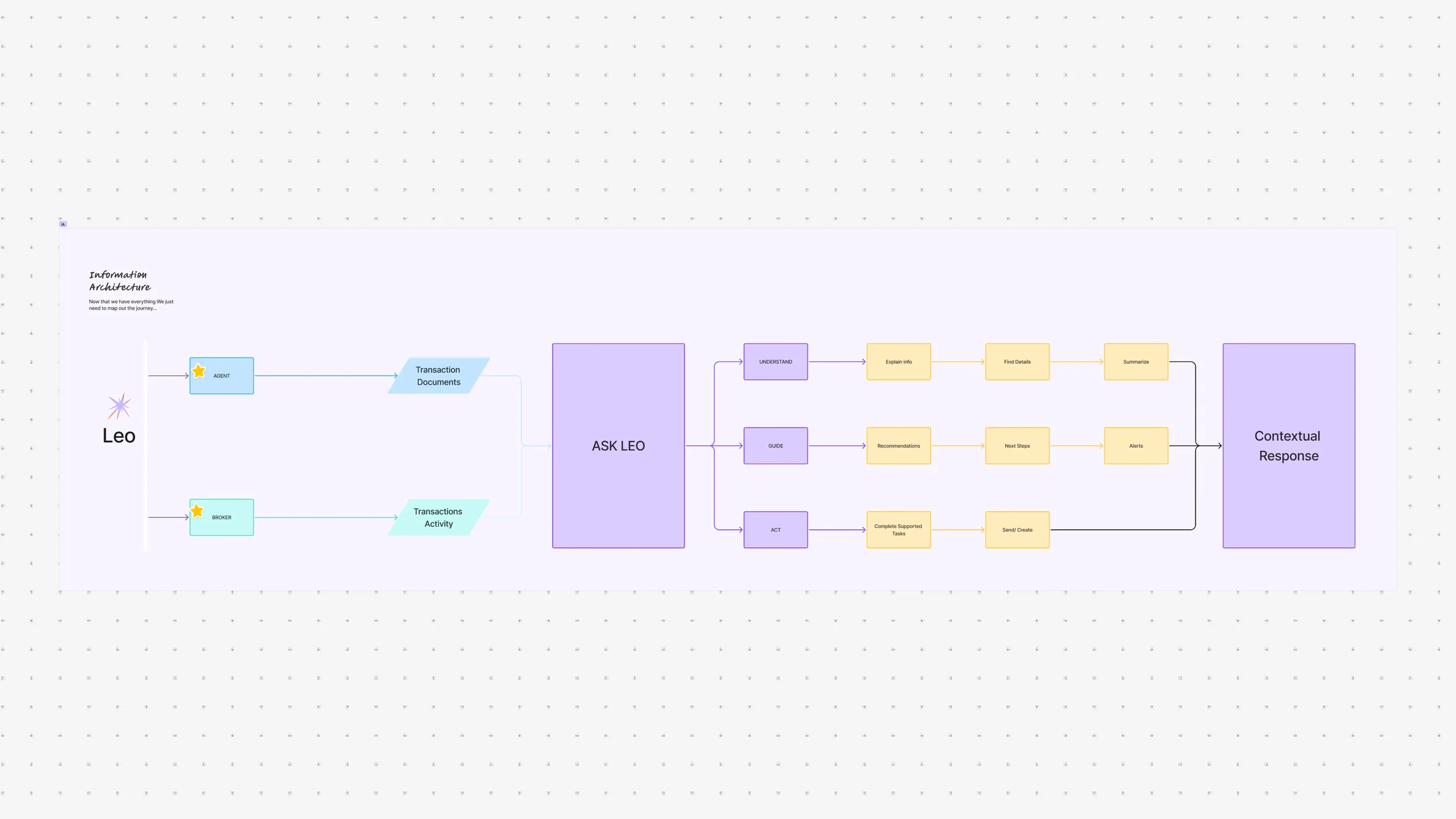
The experience was built around three fundamental capabilities:
Understand
Help users quickly understand transactions, documents, messages, earnings, and other activity.
Guide
Provide contextual suggestions and help users determine what they should do next.
Act
Allow users to complete supported tasks directly through the assistant.
Understand → Guide → Act
Research & Discovery
Understanding the Agent Workflow
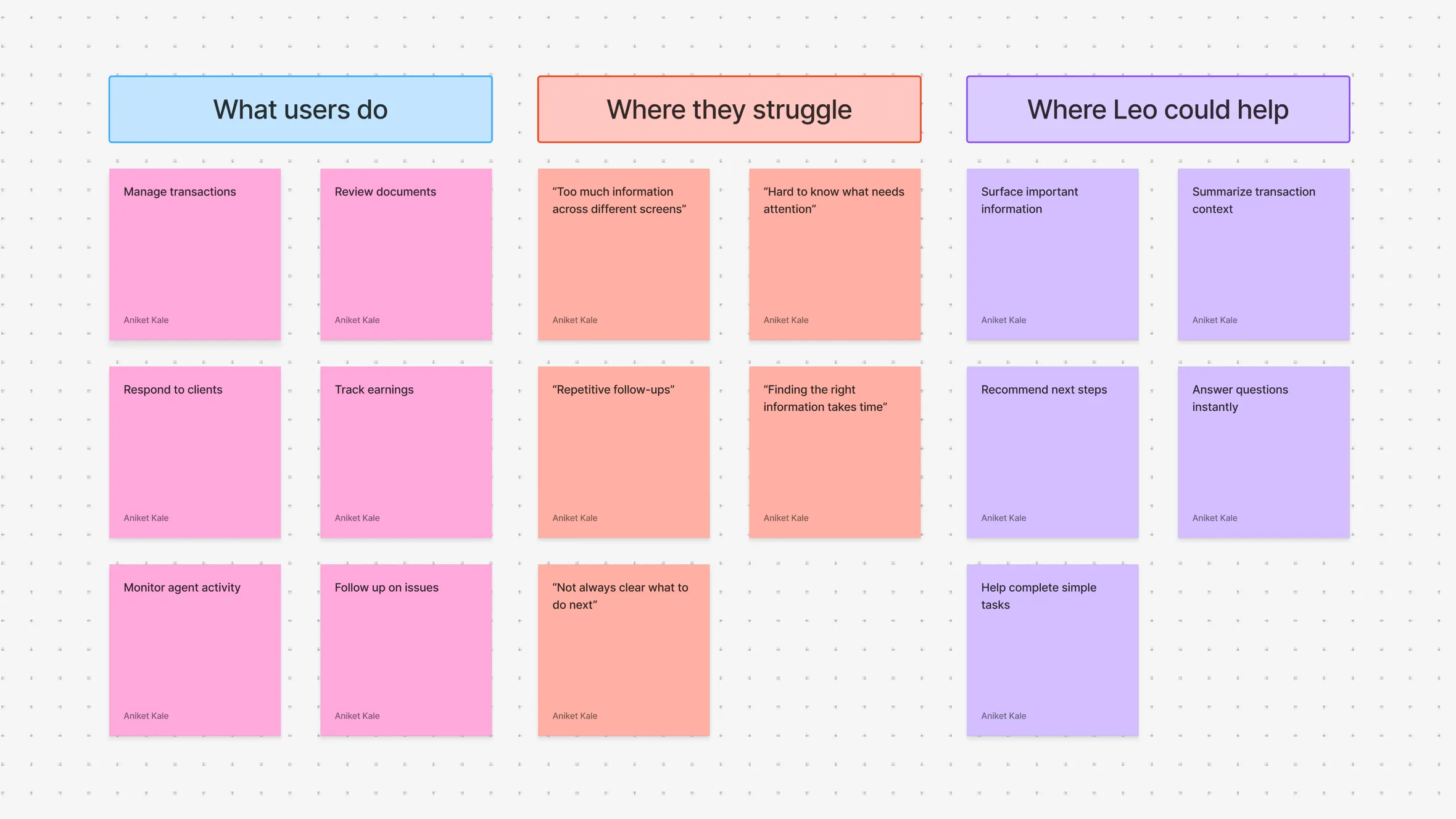
The first step was understanding the different activities agents and brokers manage throughout their day and identifying where an intelligent assistant could remove unnecessary effort.
The focus was not simply on what AI could do, but on where users actually needed help.
For agents, the research direction focused on transaction management, document activity, client communication, notifications, earnings, performance goals, and repetitive tasks.
For brokers, the focus expanded toward reviewing transactions, monitoring agent activity, checking documents, following up on issues, and understanding what required attention across multiple transactions.
The key areas included:
Transaction Management
Document Review
Communication
Notifications
Performance
Task Management
Decision Support
Key Questions
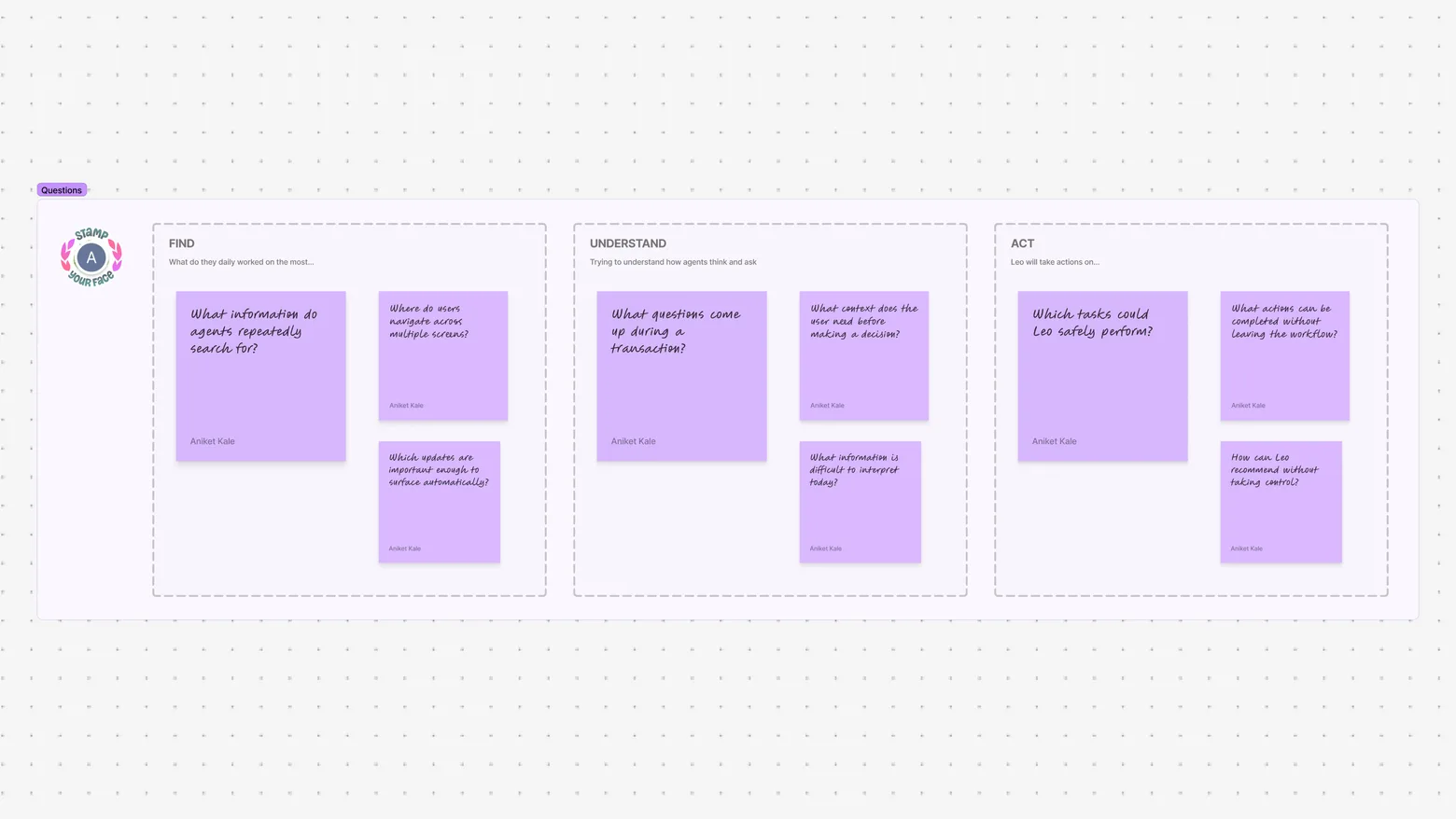
The discovery phase focused on understanding where an AI assistant could provide the most meaningful value.
What information do agents repeatedly search for?
Which updates are important enough to surface automatically?
What questions do agents need help answering during a transaction?
Where does an agent have to navigate through multiple screens to complete a simple task?
Which actions could an AI assistant safely perform on behalf of the agent?
How can LEO provide useful recommendations without taking control away from the agent?
These questions helped define the role LEO needed to play inside the product.

User Workflow
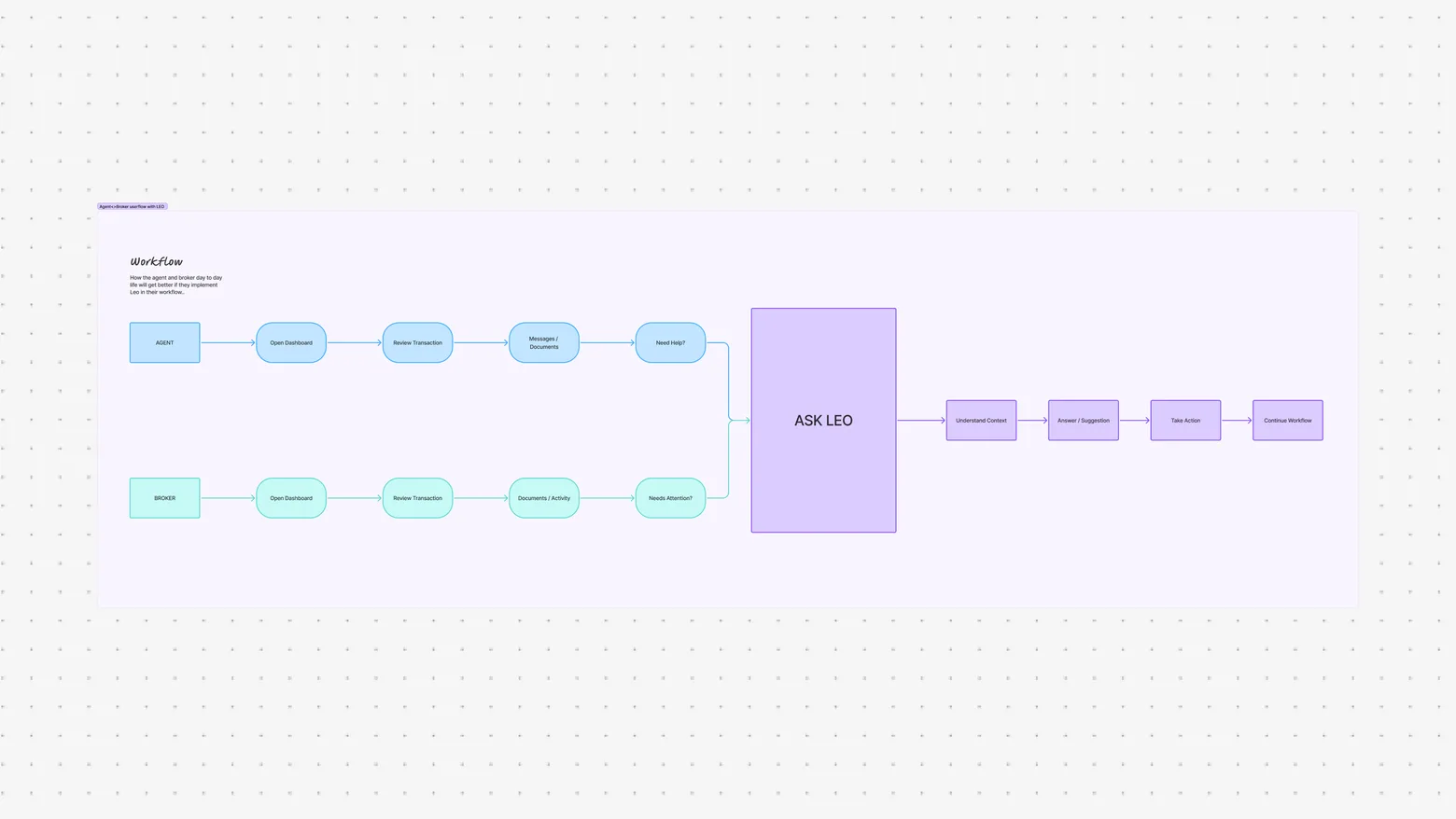
An agent’s workflow and a broker’s workflow are connected, but their responsibilities are different.
Agents spend more time managing clients, responding to messages, submitting documents, and moving transactions forward.
Brokers spend more time reviewing transactions, monitoring activity, verifying information, and managing multiple agents and transactions.
Both roles constantly interact with:
Transactions
Documents
Messages
Tasks
Notifications
The information exists across the platform, but both users are responsible for connecting it all together.
LEO was an opportunity to create that connection.
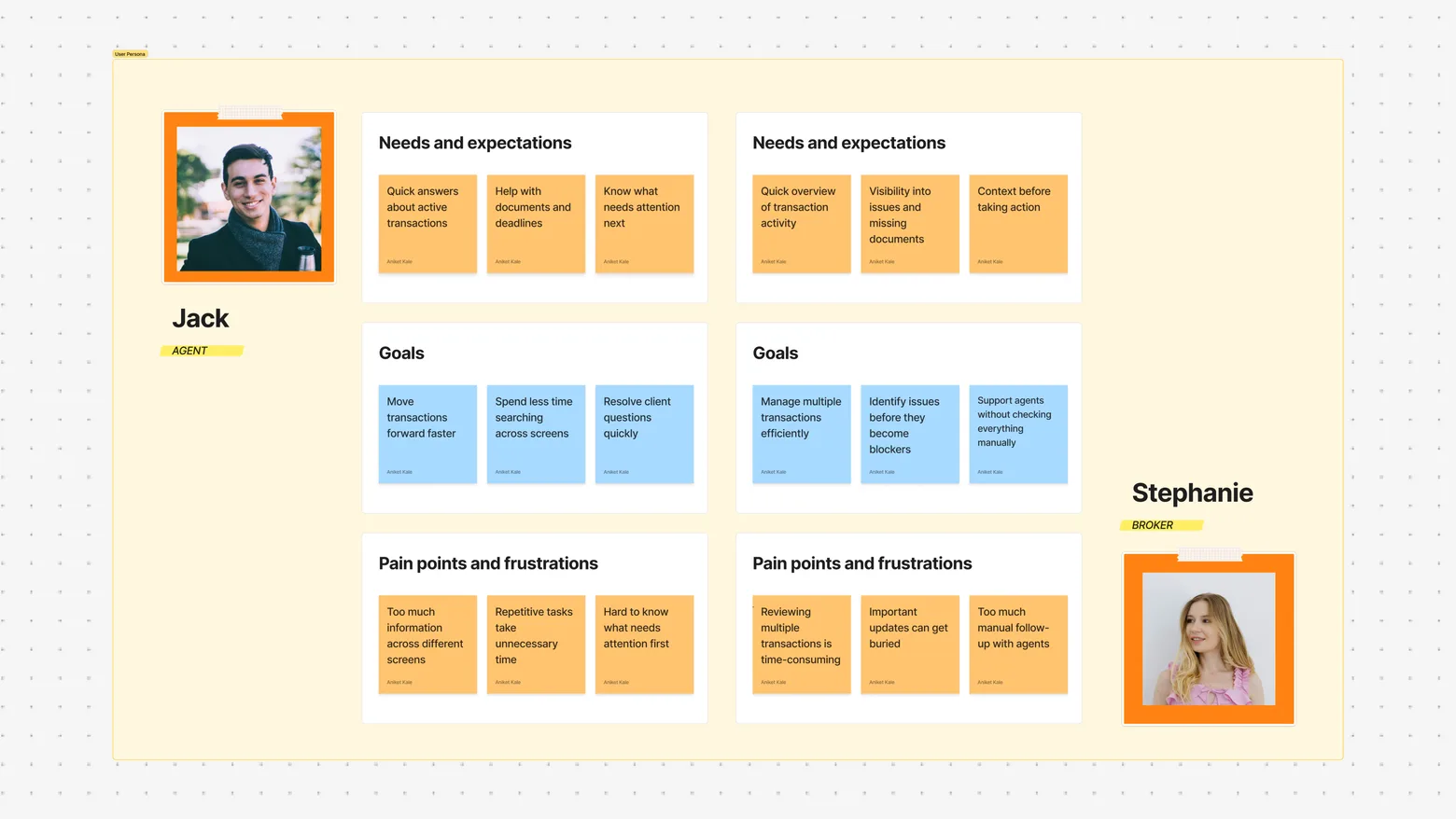
User Persona
The Agent
The primary user for LEO is a real estate agent managing multiple clients and transactions simultaneously.
Their day can involve reviewing documents, communicating with buyers, following transaction progress, checking earnings, and responding to unexpected changes.
The Broker
The primary user for LEO is a real estate agent managing multiple clients and transactions simultaneously.
Their day can involve reviewing documents, communicating with buyers, following transaction progress, checking earnings, and responding to unexpected changes.

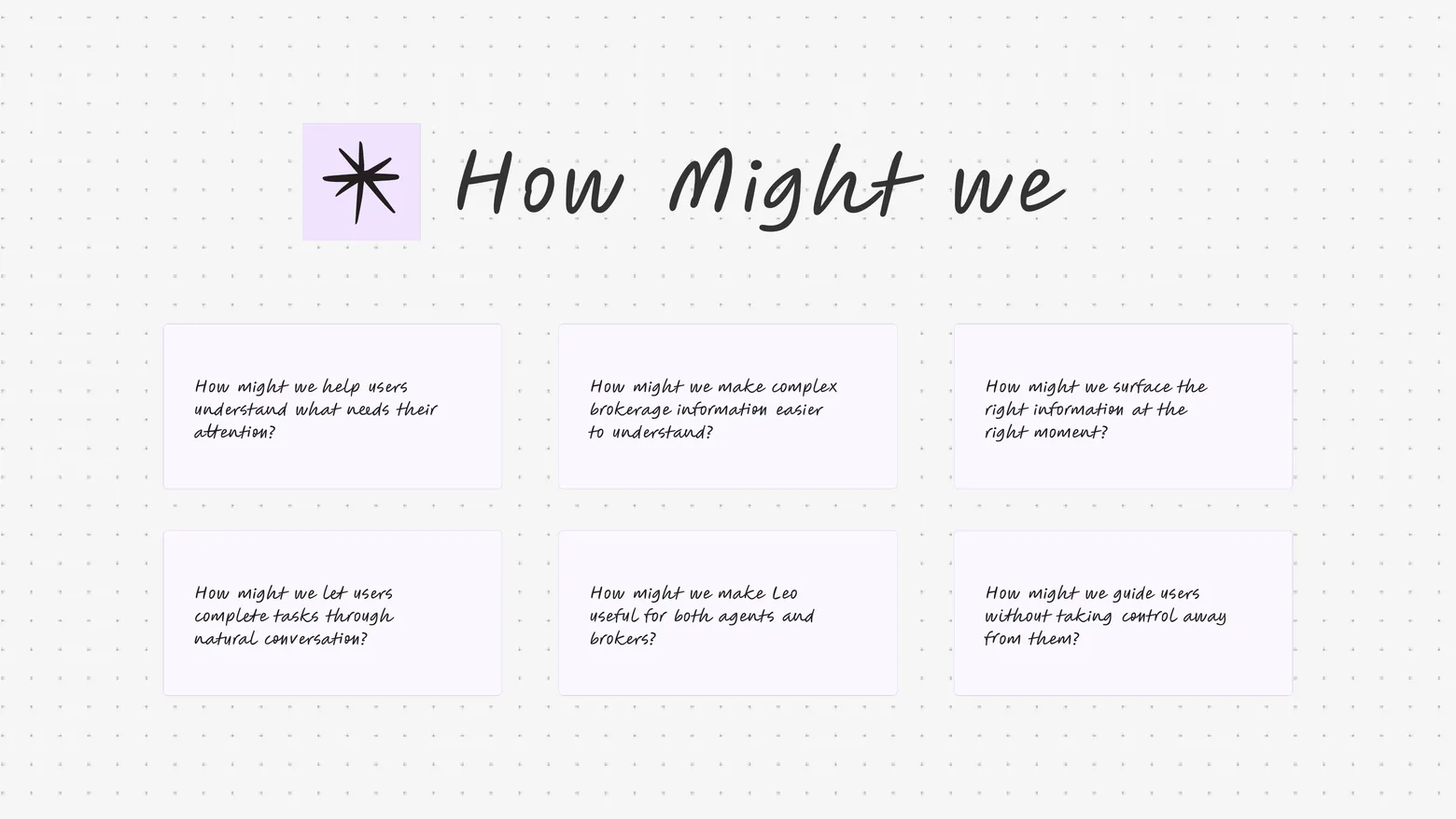
How Might We
How might we help agents and brokers understand and act on their brokerage work without making them navigate through the platform for every task?
How might we surface important transaction activity at the right moment?
How might we turn complex brokerage information into simple, actionable guidance?
How might we allow users to complete everyday tasks through natural conversation?
How might we make LEO relevant to both agents and brokers based on their role?
These questions helped define the role of LEO.
Information Architecture
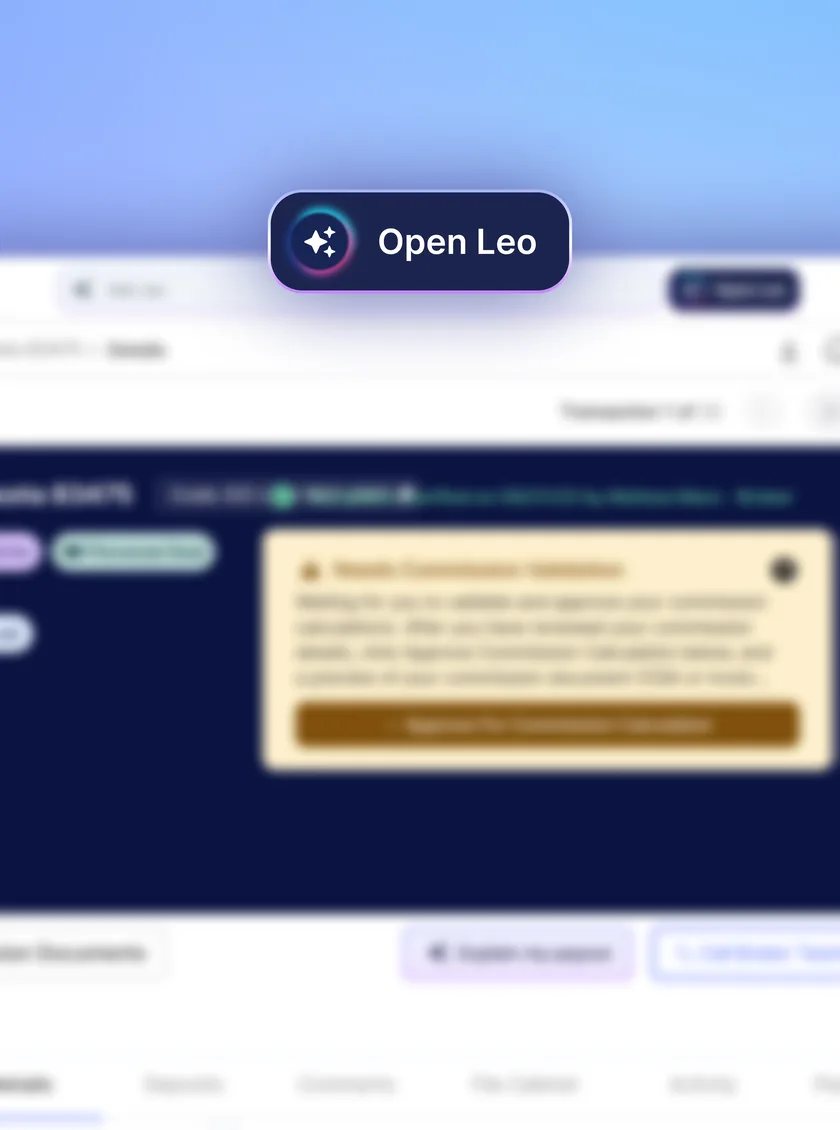
Rather than creating a separate AI product, LEO was integrated into the existing agent and broker dashboards.
LEO acts as an intelligent layer across these areas, allowing agents and brokers to access information and perform supported actions through one conversational interface.
Impact
LEO became part of the day-to-day workflow for agents and brokers using The Real, providing assistance across transactions, documents, communication, performance, and everyday tasks.
By embedding the assistant directly into both dashboards, users could access AI support without needing a separate application or workflow.
The experience brought several previously disconnected activities into one place:
Transactions · Documents · Messages · Performance · Tasks
For agents, LEO helped connect everyday transaction management with communication, performance, and business goals.
For brokers, it provided a faster way to review transaction activity, identify issues, and understand what required attention.
The larger shift was from a product where users had to continuously search and navigate for information to an experience where they could simply ask, understand, and act.
Reflection & Learnings
AI Needs Context
The biggest learning from LEO was that adding AI to a product isn’t enough. The assistant becomes useful when it understands the user’s actual workflow and can connect information to the task they are trying to complete.
Different Users Need Different Intelligence
Agents and brokers interact with the same ecosystem but have different responsibilities.
Designing LEO around role-specific needs made the assistant more useful without creating separate products for each user.
From Answers to Actions
A conversational interface becomes significantly more valuable when it can move beyond answering questions and help users complete supported actions.
Intelligence Should Live Where the Work Happens
Keeping LEO inside the existing dashboards removed the need for agents and brokers to switch between products. The assistant became part of their workflow instead of becoming another destination.
Reduce Cognitive Load
The strongest opportunity wasn’t simply reducing clicks. It was reducing the amount of information users had to search for, remember, interpret, and connect themselves.
Keep the User in Control
AI can assist with decisions and actions, but users should remain aware of what is happening and retain control over important actions.
Final Takeaway
From searching for answers to having an assistant that understands the work.
LEO brings conversation, contextual intelligence, proactive assistance, recommendations, and task execution into one place.
For agents, that means less time navigating through the platform and more time focused on transactions, clients, and business growth.
For brokers, it means a faster way to understand transaction activity, identify what needs attention, and manage their day-to-day workflow.
Ask LEO. Understand what’s happening. Get the work done.